Thank you for adding your suggestion! Our enhancement roadmap is usually planned for at least 2 months in advance, though we are often looking for highly desired ideas (please vote!).
Any new requests will be considered by our team to determine their universal benefit to all our customers and then added to the roadmap based on potential impact.

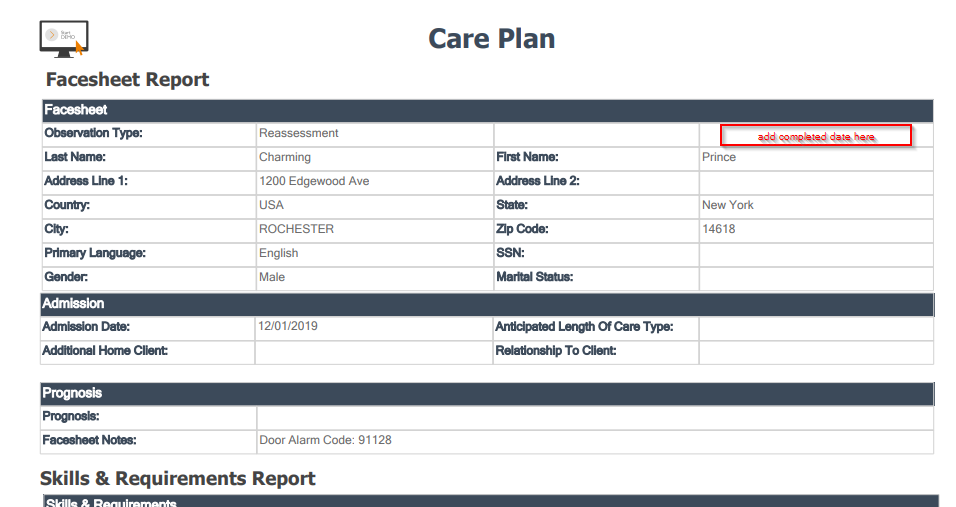
 Add the date to the printed assessment
When we print out the assessment to leave in the binder at the client's home, it would be helpful to have the date it was completed show on the printed assessment, so the family members know how current the care plan is.

Longer Experation Date Options for Drivers License Compliance
In Arizona, drivers licenses don't expire until the age of 65 so when we enter their drivers licenses in under caregiver compliances, the latest date we can put for an expiration is the year 2050.

In the Log History of a shift show who added the shift and when it was added
Would like to also know if the shift was added from the master schedule / release visit plan as well

Please create an agency owner/admin app.
I saw the 2016 owners app for the CareSmartz360 walk through on you tube, it looks really great and would be a huge help! Please do not give up on that project.
Change how long an open shift is on the dashboard widget.
Currently, as soon as the shift begins, the open shift disappears from the widget, but sometimes we are still working to fill it. Please keep the open shift on the widget until it has been filled or until the shift is over

Thank you for your feedback. You can select the clients or caregivers from the profile list and click on the download calendar button in the top right corner. From there, you will be prompted to select the month and year you would like to see. You can then print your PDFs from your Downloads folder.

Email Addition
Hello,
I would like to know if you can add an internal email option where the agency and their caregivers are provided with vendors's email domain (@caresmartz360.com). It looks more professional and easy for an agency to track communications.
Customer support service by UserEcho